Skip to content.
A dashboard showing a table of incident cases with scores, case details, reasons, statuses, primary users, and actions. Navigation is on the left. There are tabs for suggested and pre-suggested cases.
Customer-driven innovation

What’s New at NAVEX: Product Updates & Enhancements

Innovation doesn’t happen on a schedule. It happens in response to evolving risks, changing regulations and customer feedback. Explore new and upcoming NAVEX product updates and enhancements – designed to help organizations build trust, work more efficiently, make better compliance decisions, and stay ahead of what’s next.
Strengthen your risk and compliance program with NAVEX One

NAVEX One helps organizations manage risk, strengthen compliance programs, and connect governance, risk and compliance activities in one platform. 

Share a few details and a NAVEX expert will: 

  • Schedule a brief 15-minute call to understand your organization’s priorities
  • Answer initial questions and discuss your goals
  • Arrange a personalized NAVEX One demo tailored to your needs

Request your personalized NAVEX One demo

This form is protected by reCAPTCHA, a service provided by Google. You can learn more about how NAVEX processes your personal data by reviewing the NAVEX privacy statement.

Demo successfully requested! A team member will reach out soon to schedule your demo session. 

If you need help or want further info in the meantime, feel free to give us a call at 1-866-297-0224.  

Have a nice day. :)

Learn more at NAVEX Community

Innovation driven by customers, built for compliance.

Customer feedback shapes both our latest enhancements and the NAVEX One roadmap. We continue to innovate across three pillars: 

Smarter work with AI and automation • More intuitive user experiences • Connected data and intelligence

September 2026

Feature update

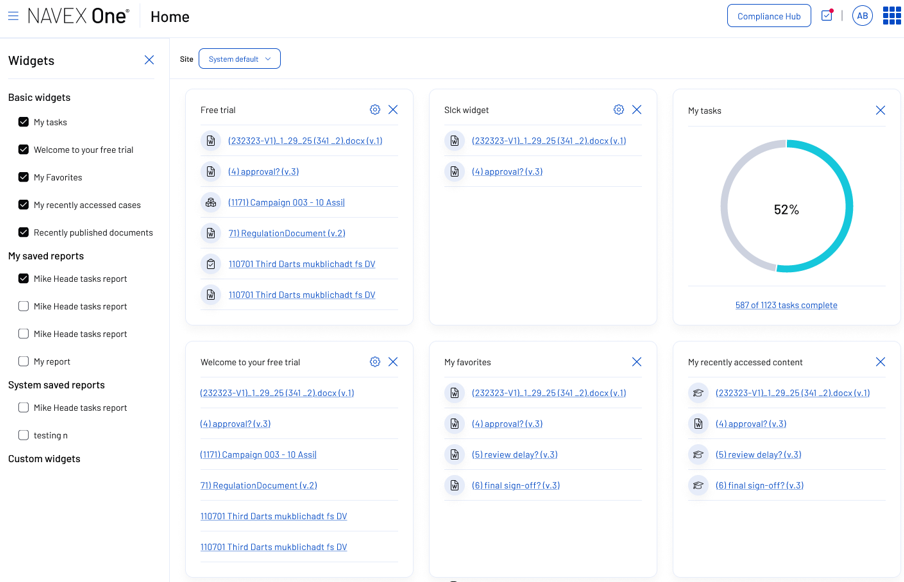
A refreshed policy administration experience

Move through everyday policy administration with less friction. A refreshed interface makes common tasks easier to find and complete, helping administrators manage and update policies more efficiently.

Dashboard showing widgets for tasks, trial, favorites, and reports. Includes a circular progress chart at 52% and lists of items with links. NAVEX One branding and navigation menu are visible at the top and left.
New release

Nira for Intake 

Make it easier for employees and third parties to speak up. Nira for Intake guides reporters through a natural conversation to help them share what happened in their own language, with live-agent support available when needed.

Nira AI by NAVEX
Feature update

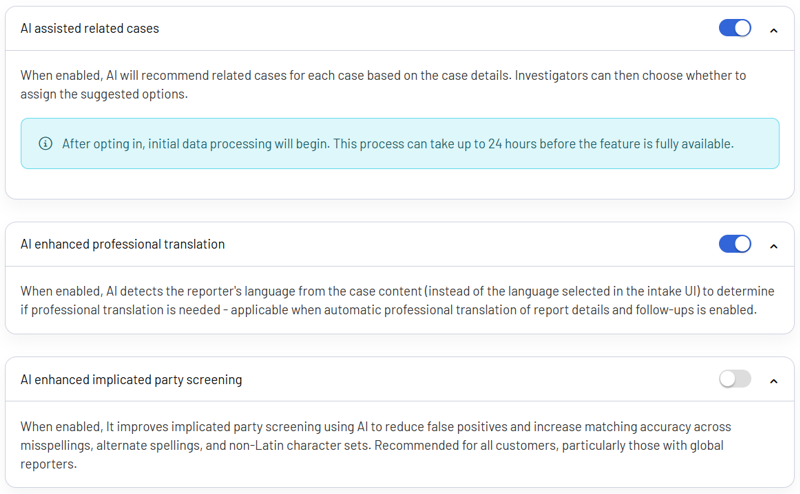
AI-enhanced implicated party screening

Identify potential implicated parties more accurately, even when names vary across reports and employee records. AI-enhanced matching recognizes common name variations to help prevent people named in a case from accessing sensitive investigation details.

A settings panel with toggles for AI assisted related cases, AI enhanced professional translation, and AI enhanced implicated party screening, each with descriptions and one toggle switched on.
Feature update

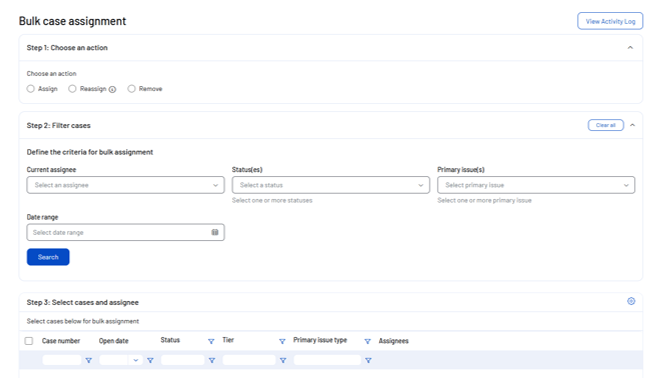
Bulk case assignments

Reassign large volumes of cases in minutes instead of updating them one by one. Authorized administrators can search for groups of cases then assign, reassign or remove investigators in a single workflow.

Screenshot of a Bulk case assignment web page with options to assign, reassign, or remove cases, filter by assignee, status, and issue, plus a table listing cases with details like status, tier, and assignees.
Feature update

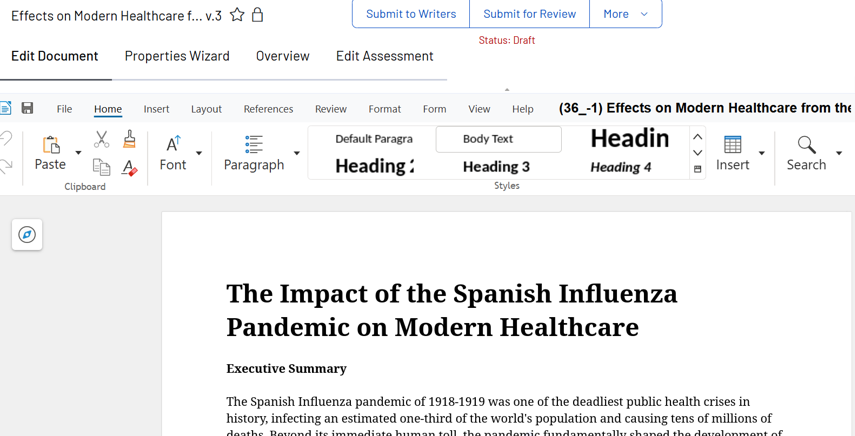
Policy document editor

Create and revise policies, spreadsheets and presentations directly within NAVEX One. Built-in document editing keeps content in one place while supporting familiar Microsoft Office file formatting.

A Microsoft Word document is open on a computer screen, displaying the title The Impact of the Spanish Influenza Pandemic on Modern Healthcare with menu and formatting options visible at the top.
Feature update

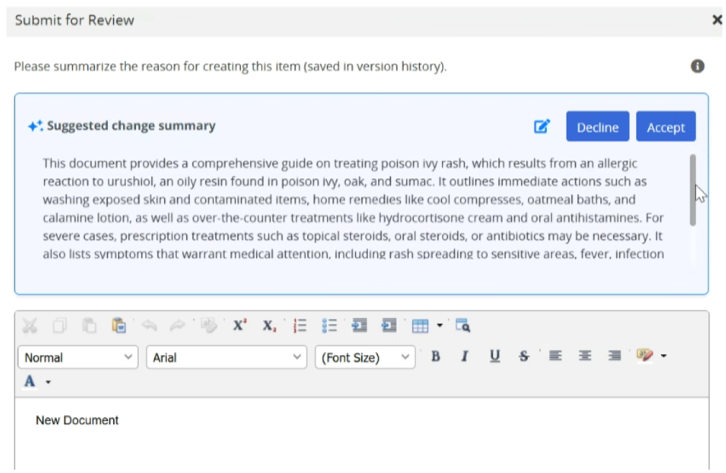
AI-assisted disclosure summary

Summarize disclosure activity without manually piecing together the history. AI-assisted summaries turn reviewers, actions, timelines and review notes into a clear narrative so compliance teams can quickly understand what happened, review disclosures and prepare for audits.

A computer screen shows a review interface with a suggested summary about treating poison ivy rash, including decline and accept buttons, formatting options, and a text box for entering comments.
Feature update

Rules-based routing for disclosures

Send disclosures to the right reviewers automatically based on the conditions that apply to each submission. Rules-based routing evaluates responder and disclosure details together, reducing time spent on manual assignment and supporting more complex review workflows.

Feature update

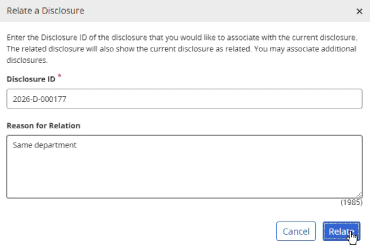
Related cases for disclosures

Bring connected disclosures together so reviewers can see relevant activity in context and maintain continuity across investigations. Authorized users can link related records while keeping each disclosure and its history intact for review and audit purposes.

A dialog box titled Relate a Disclosure shows input fields for Disclosure ID and Reason for Relation, with the values 2026-D-000177 and Same department. A cursor hovers over the Relate button.
Feature update

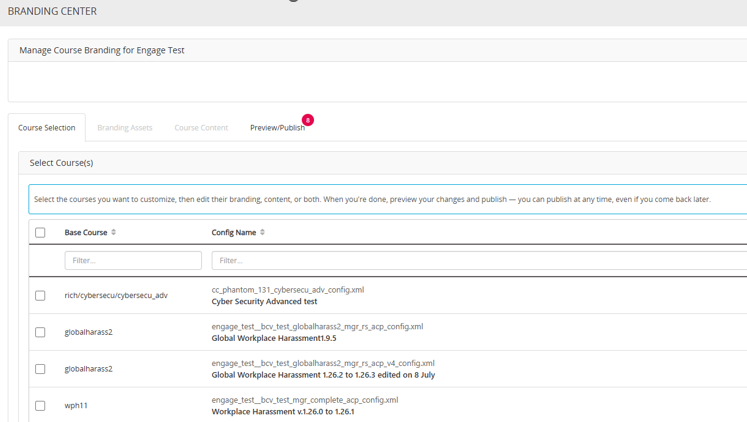
More flexible training content management

Take greater control of your training content, branding and learner records. Apply branding updates across courses, manage training content more easily and export learner transcripts for reporting and recordkeeping.

New release

Global Insider Trading Course

Help employees recognize insider trading risks before they become problems. Global Insider Trading builds their understanding of material, nonpublic information (MNPI) and prepares them to make informed, compliant decisions.

A glowing red padlock symbol overlays a digital stock trading interface with charts and buy/sell options, suggesting security or data protection in online trading.
New release

Human Risk Management Microlearning

Help employees recognize everyday risks, make thoughtful choices and take the right action to protect your information, ideas and organization.

Three workers in blue coveralls stand in a factory, looking down at a large puddle of green liquid spilled on the floor.
Feature update

Quick access to frequently used reports

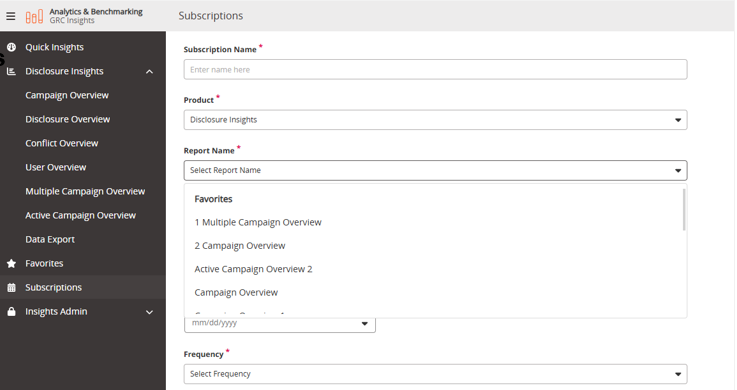
Get back to the reporting views you use most without rebuilding filters each time. Quick Insights brings favorites, filters and subscriptions together across NAVEX One, now extending to Disclosure Management alongside Incident Management, Training, Third-Party Risk Management and cross-platform reporting.

Three workers in blue coveralls stand in a factory, looking down at a large puddle of green liquid spilled on the floor.
Feature update

AI-assisted PII redaction

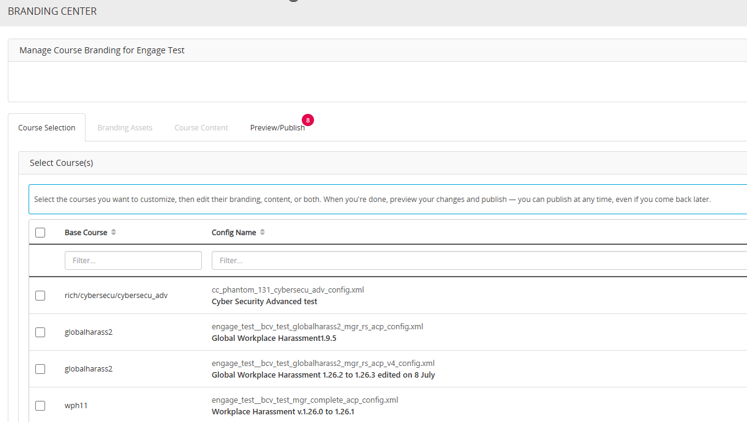
Quickly and easily identify and remove personally identifiable information from whistleblowing cases when it is no longer required. This ensures more consistent handling of sensitive personal data and reduces unnecessary information retention.

A software interface titled BRANDING CENTER shows a list of course configurations for branding, including checkboxes and course names, under the Preview & Publish tab.

August 2026

New release

AI-Powered policy guidance

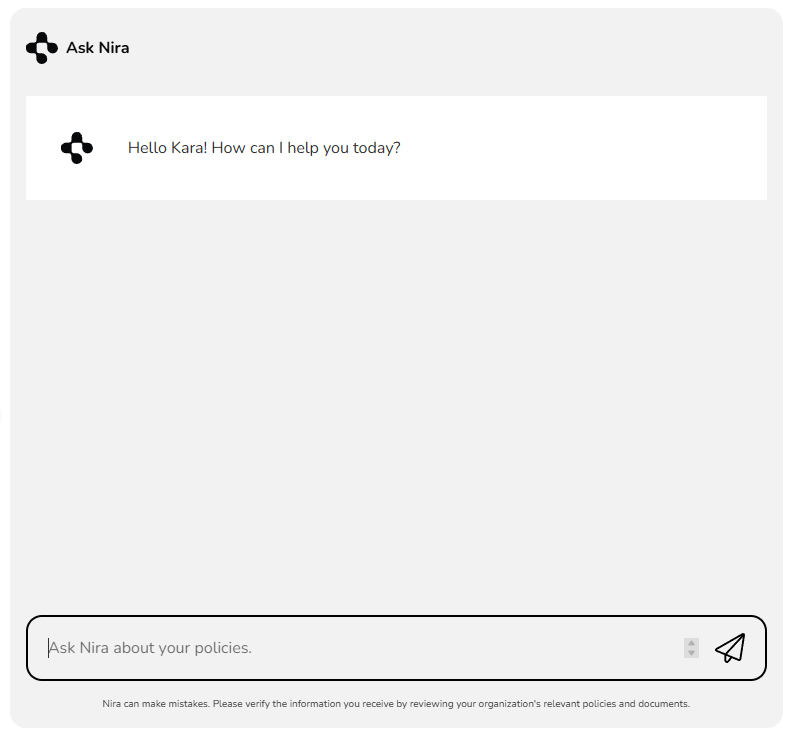
Nira delivers more accurate, context-aware answers to policy questions with enhanced reasoning, broader language support and improved policy search. Employees can find the answers they need faster, while compliance teams are bothered less often with routine questions.

A chatbot window titled Ask Nira greets the user with Hello Kara! How can I help you today? and displays a text box to enter a question.
Feature update

Connect policy content to your ecosystem

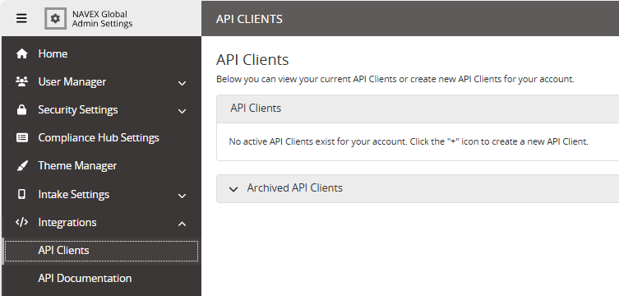
New API support makes it easier to distribute policy content from NAVEX One across the systems your organization already uses. Extend access to current, approved policies without duplicating or adding unnecessary steps.

Dashboard with bar charts showing open cases by year, primary issue, risk category, and location. A chat window on the right discusses comparing incident metrics with benchmarks, answered by an AI assistant.
Feature update

A new look for Training

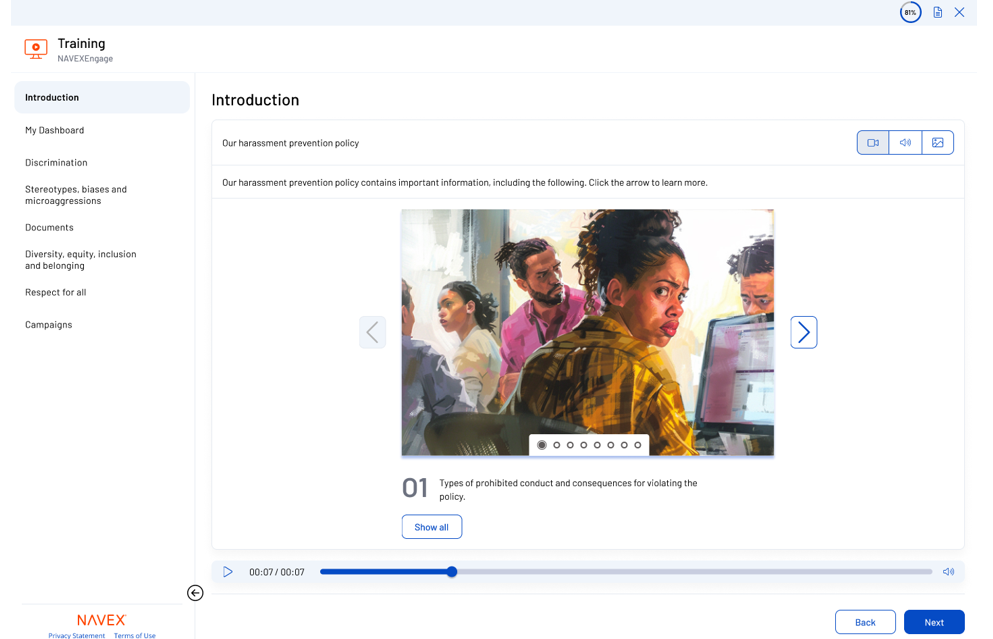
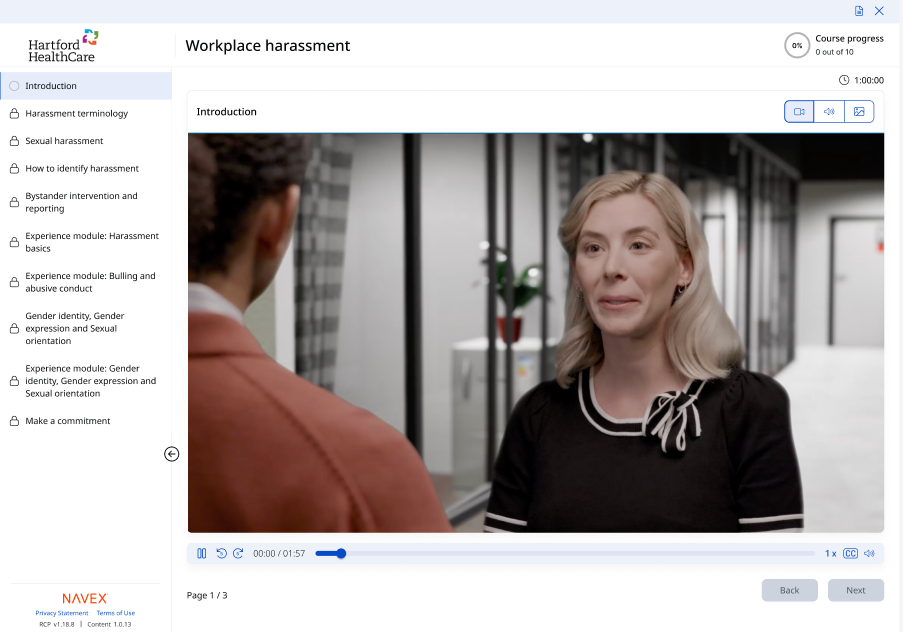
Our refreshed course player gives learners a clearer, more intuitive experience from start to finish.

Screenshot of a harassment prevention training module showing an introduction slide with an illustration of concerned coworkers in an office. Navigation and progress controls are visible at the bottom and sides.
Feature update

SCORM support for third-party hosting

NAVEX One now supports third-party SCORM packages, giving organizations more flexibility to deliver external training content.

Close-up view of a modern, white suspension bridge against a clear blue sky. Multiple cables fan out from the arch, creating a symmetrical pattern. The perspective emphasizes the height and architectural design of the structure.
New release

Holiday risk prevention micro learning bundle

Our new Holiday Risk Prevention micro learning bundle helps your employees recognize and respond to common seasonal compliance risks.

A woman places cookies in a container while a man checks his phone at a holiday party in a festive, snow-filled room with other people chatting in the background.
Feature update

A new layer of learning

Add instructor-led sessions to your harassment training program, giving your employees space to ask questions and discuss how the guidance applies at work.

Three workplace harassment training materials with the same cover image: a diverse group of serious-looking people. Titles include Facilitator Script, Participant Guide, and Preventing Workplace Harassment. NAVEX logo is visible.

July 2026

New release

Meet Nira: Your AI Assistant for NAVEX One

Nira is our agentic AI assistant across NAVEX One. It gives your team a secure, consistent way to use AI in daily workflows – from finding information quickly to automating repetitive, routine work. As new capabilities become available in your NAVEX One software, Nira stays connected to the tasks, data and context your team already relies on.

Nira AI by NAVEX
New release

Ask Nira your data questions. Get trusted answers.

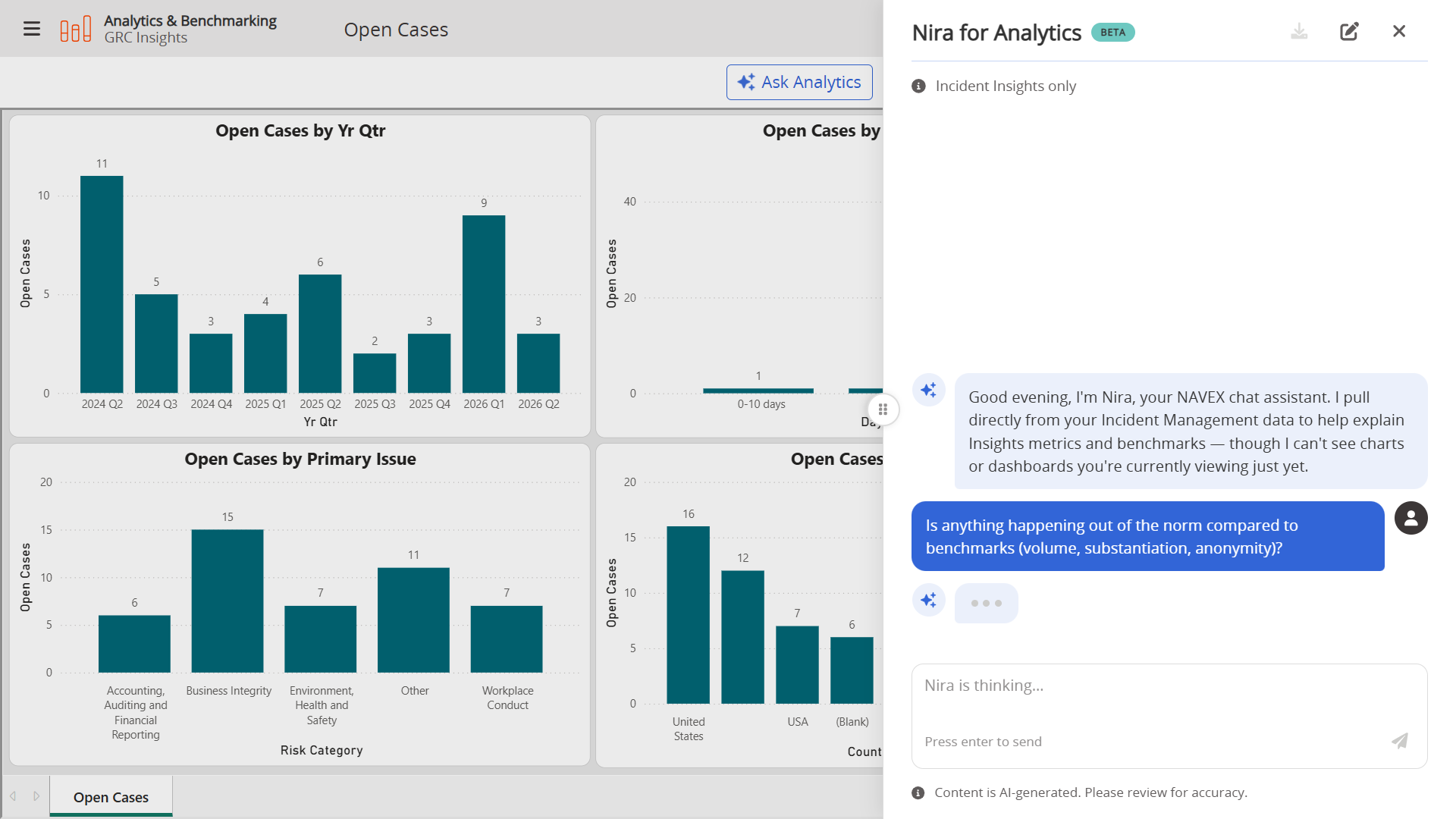
Program data creates more value when your team can question it directly. Nira for Analytics lets you ask about your compliance program in natural language and get trusted answers from the data already in NAVEX One. Use it to create executive-ready reports, uncover trends, compare performance to benchmarks and make decisions with clearer context.
Dashboard with bar charts showing open cases by year, primary issue, risk category, and location. A chat window on the right discusses comparing incident metrics with benchmarks, answered by an AI assistant.
Feature update

A new look for Whistleblowing & Incident Management (EthicsPoint)

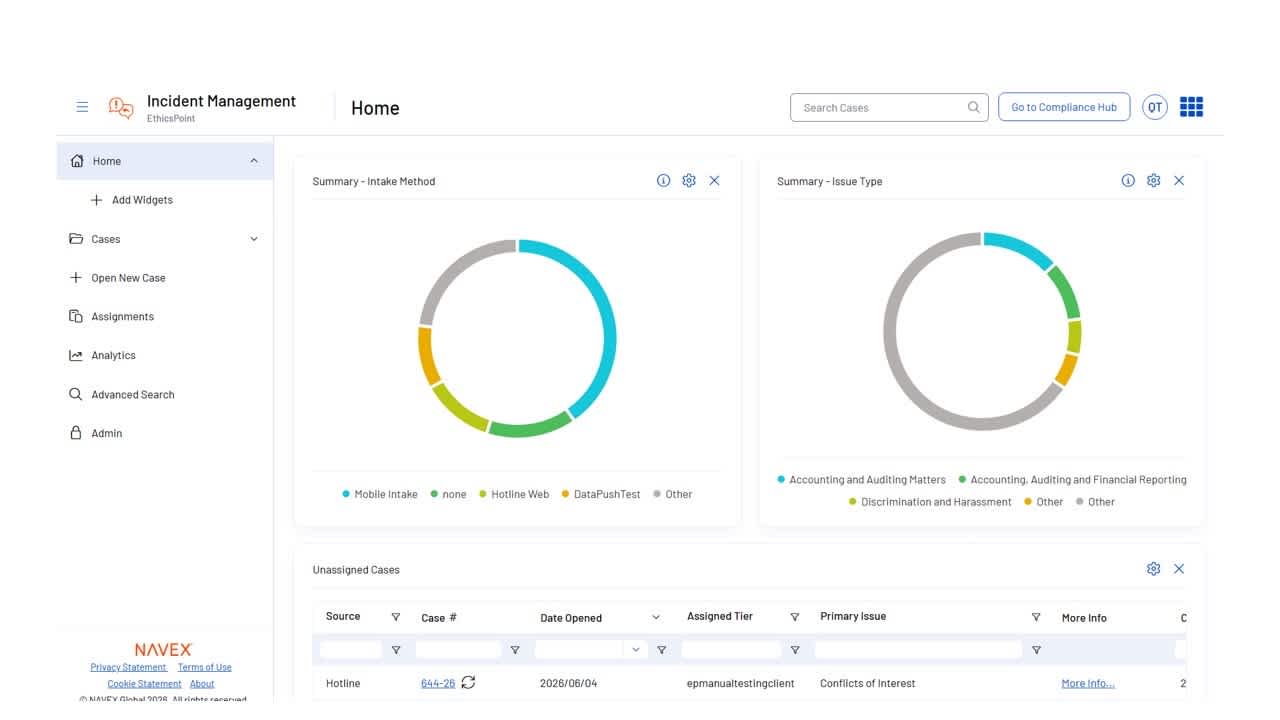
Our refreshed whistleblowing and incident management interface makes daily case work easier to navigate. Updated navigation and layouts help investigators review case details faster, reduce clicks and move through daily work more efficiently.
Incident management dashboard showing two donut charts labeled Intake Method and Issue Type, with categories in different colors. Below are unassigned cases listed in a table with columns for case details.
Feature update

Enhanced program benchmarking

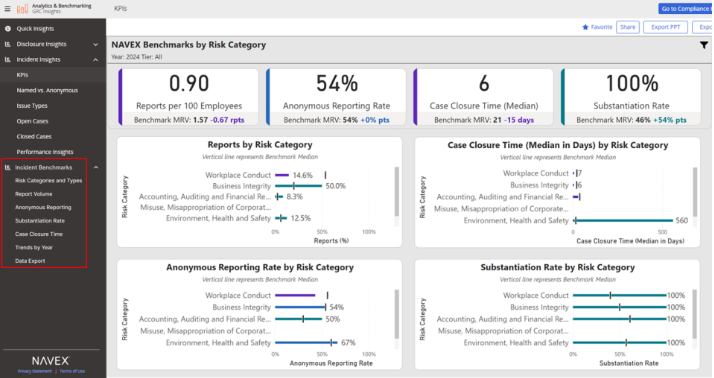
Internal data tells you what’s happening inside your program. Benchmarking shows how your performance compares to peers. Expanded incident benchmark reporting includes five years of historical data and six new benchmark reports, so you can compare trends over time, see where your program may need attention and query the data directly in Nira for deeper insights.

Dashboard showing NAVEX Benchmarks by Risk Category, including statistics for reports per 100 employees, median case closure time, and substantiation rate. Graphs display breakdowns by workplace conduct and other risks.
New release

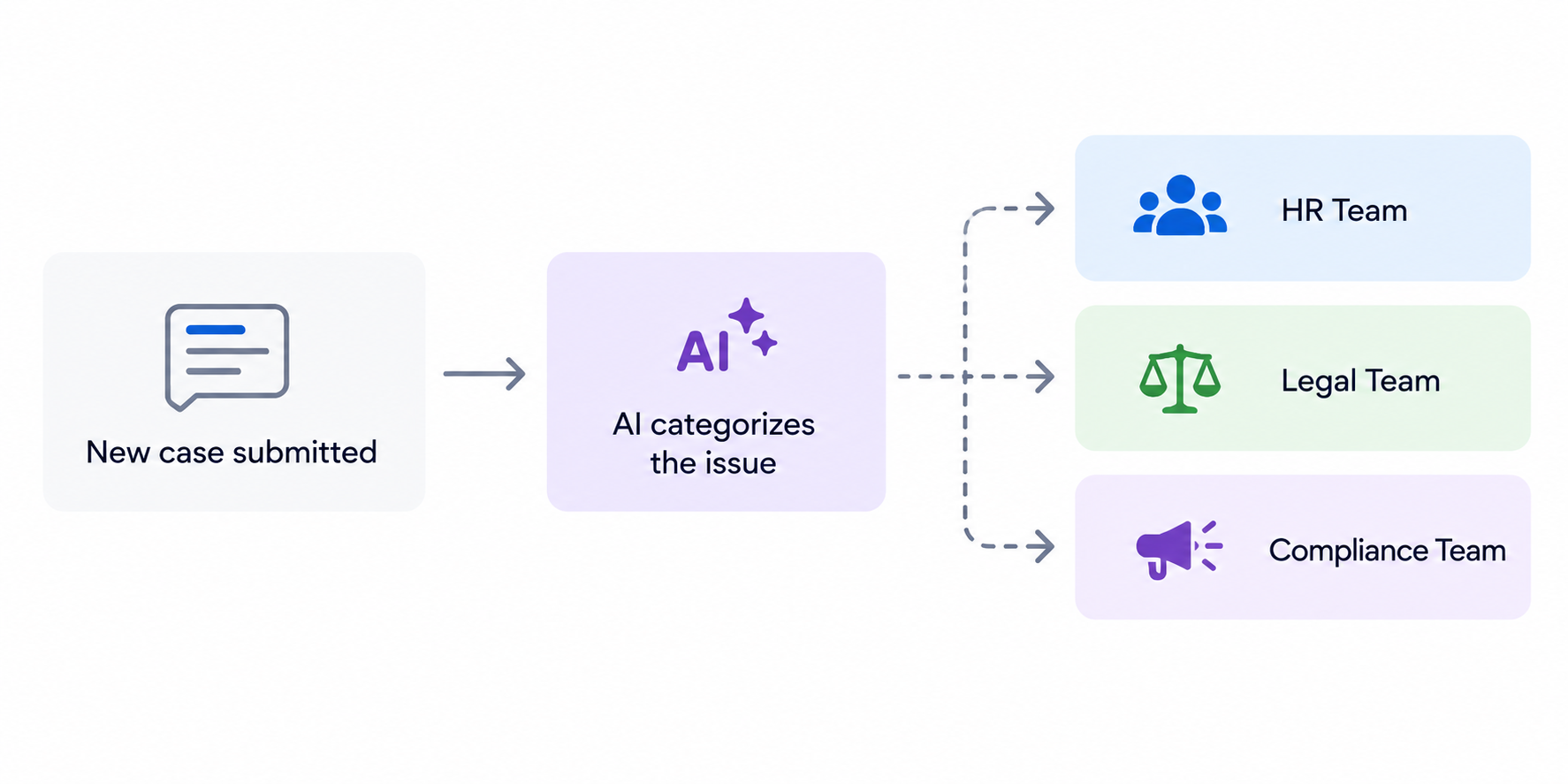
Connect the dots across cases with AI

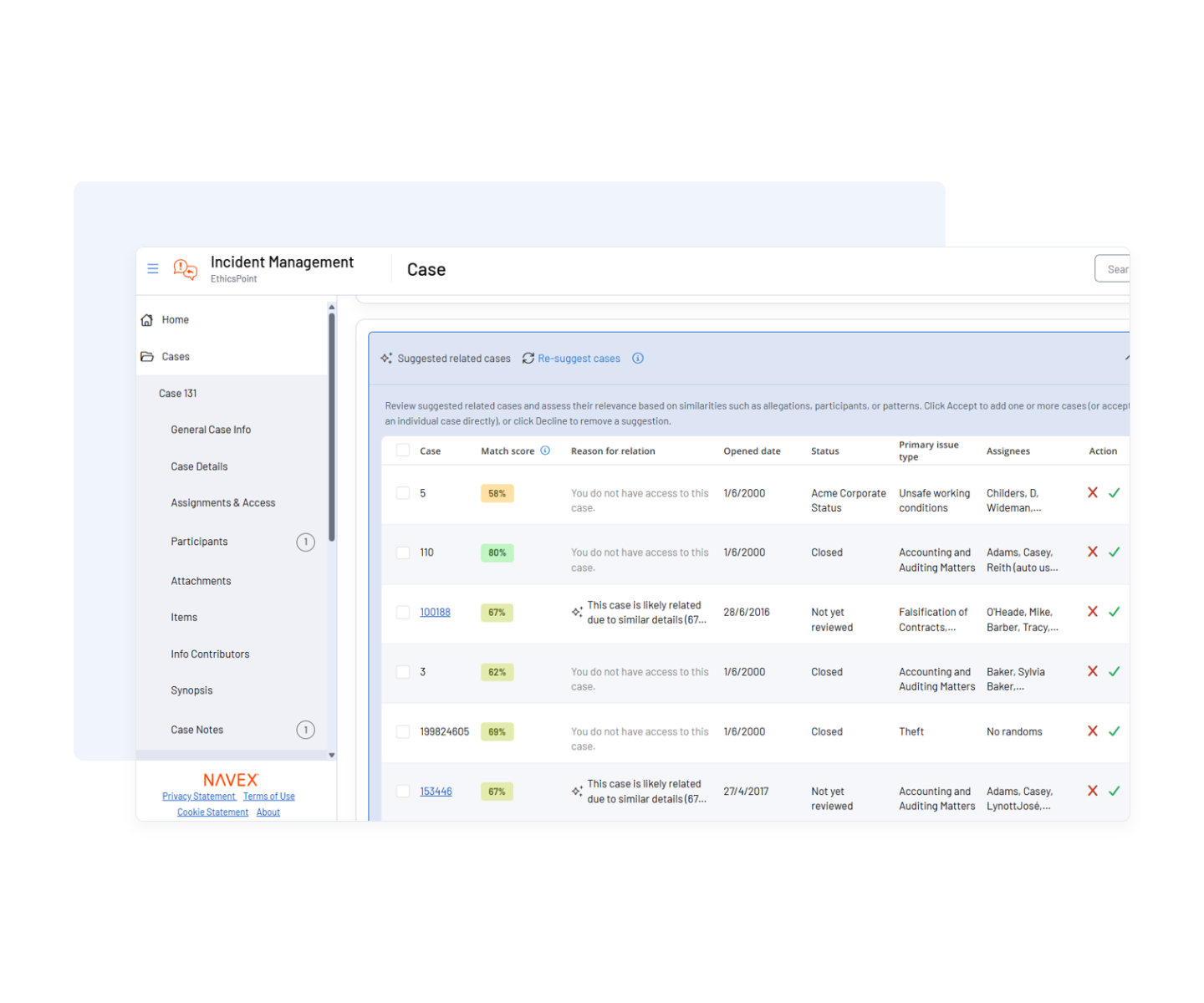
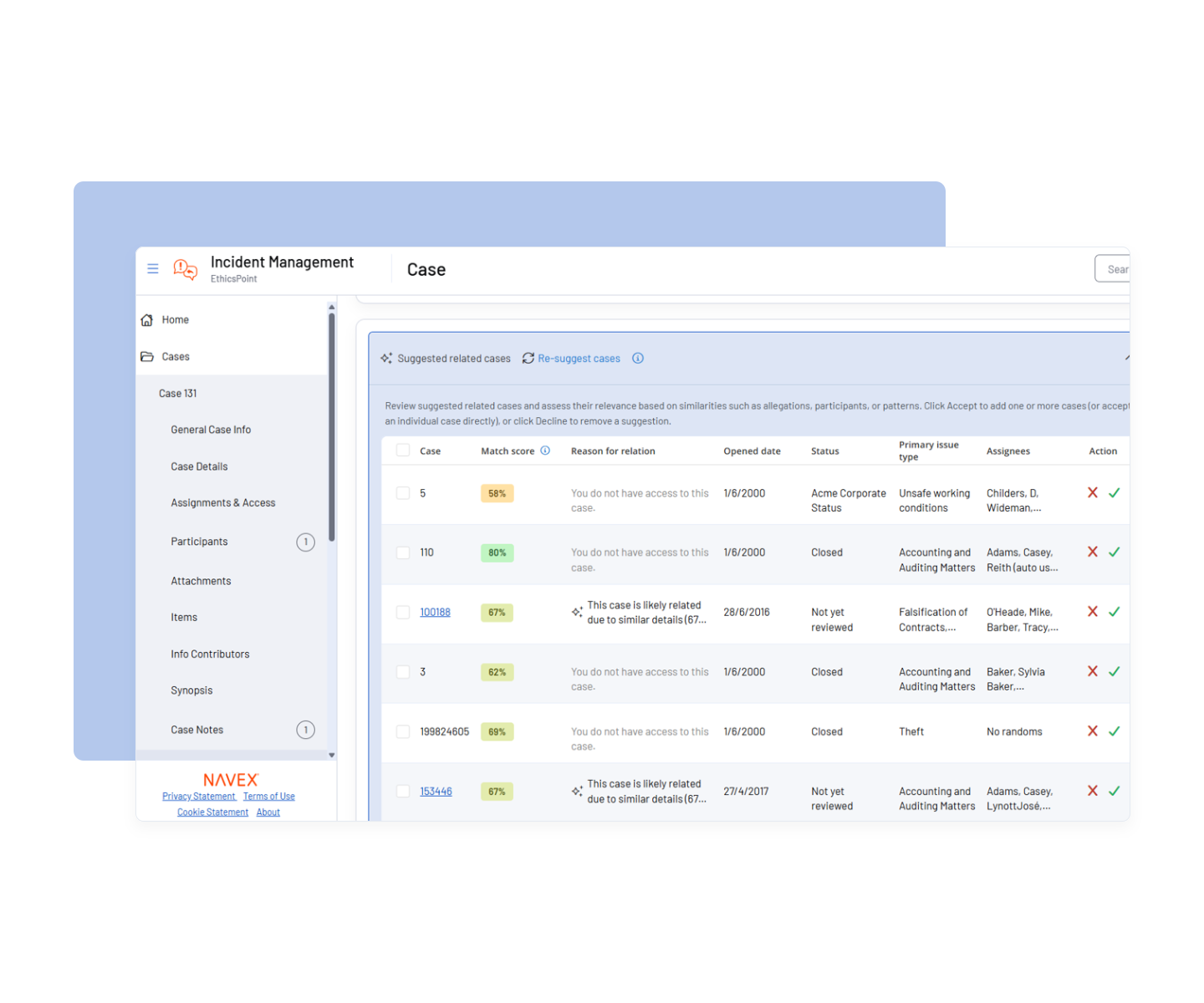
Our new AI-Related Cases enhancement helps your investigators identify related incidents using explainable AI. By surfacing patterns, repeat behaviors and emerging risks earlier, it gives your team a clearer view of what to review and how issues may be unfolding.

A dashboard showing a table of incident cases with scores, case details, reasons, statuses, primary users, and actions. Navigation is on the left. There are tabs for suggested and pre-suggested cases.
Feature update

A new look for WhistleB

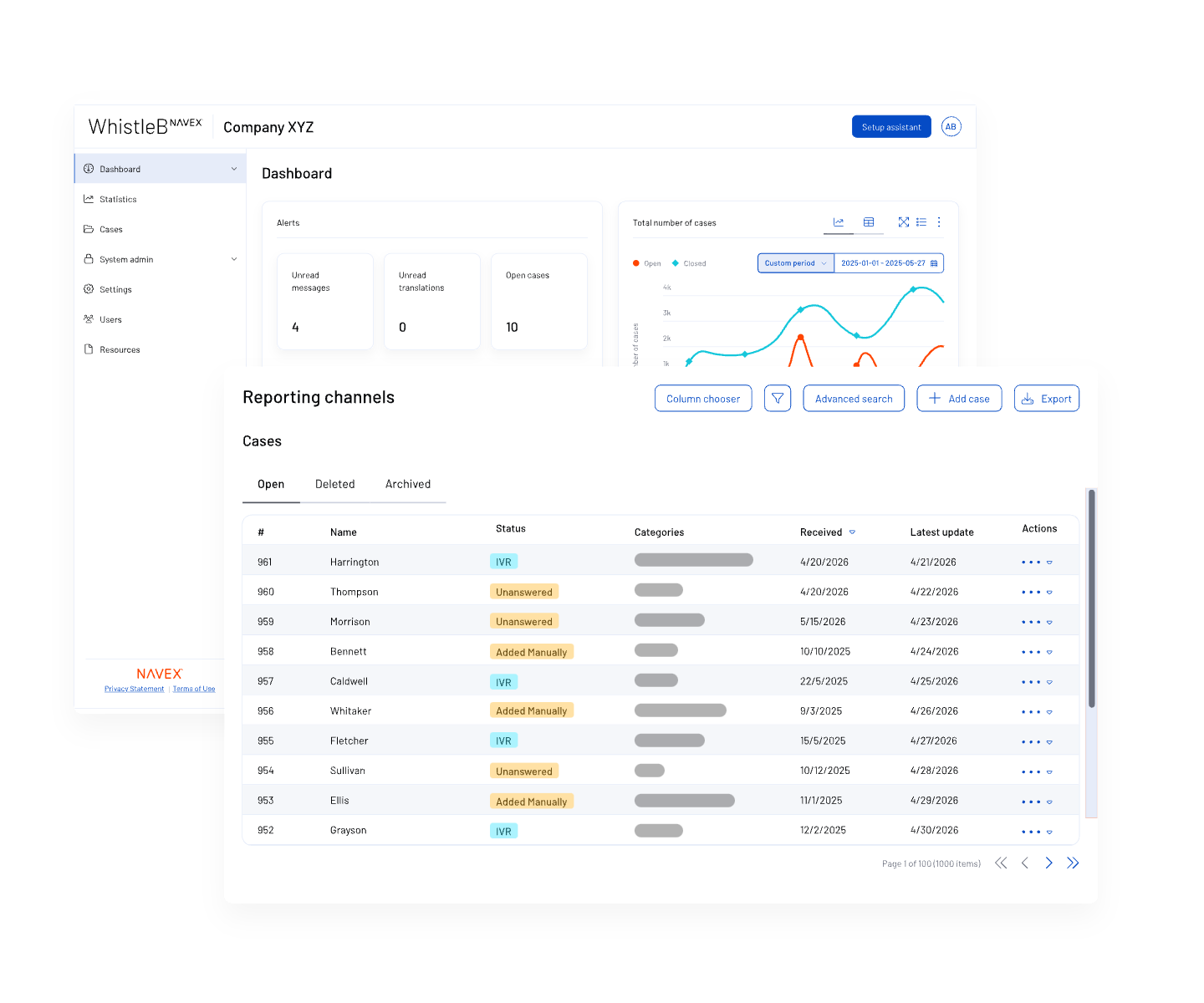
The updated WhistleB interface makes reporting and case management feel clearer from the start. Your employees get a more intuitive way to raise concerns, while your team gets a cleaner experience when managing each case.

Feature update

Give investigators more control over case ownership

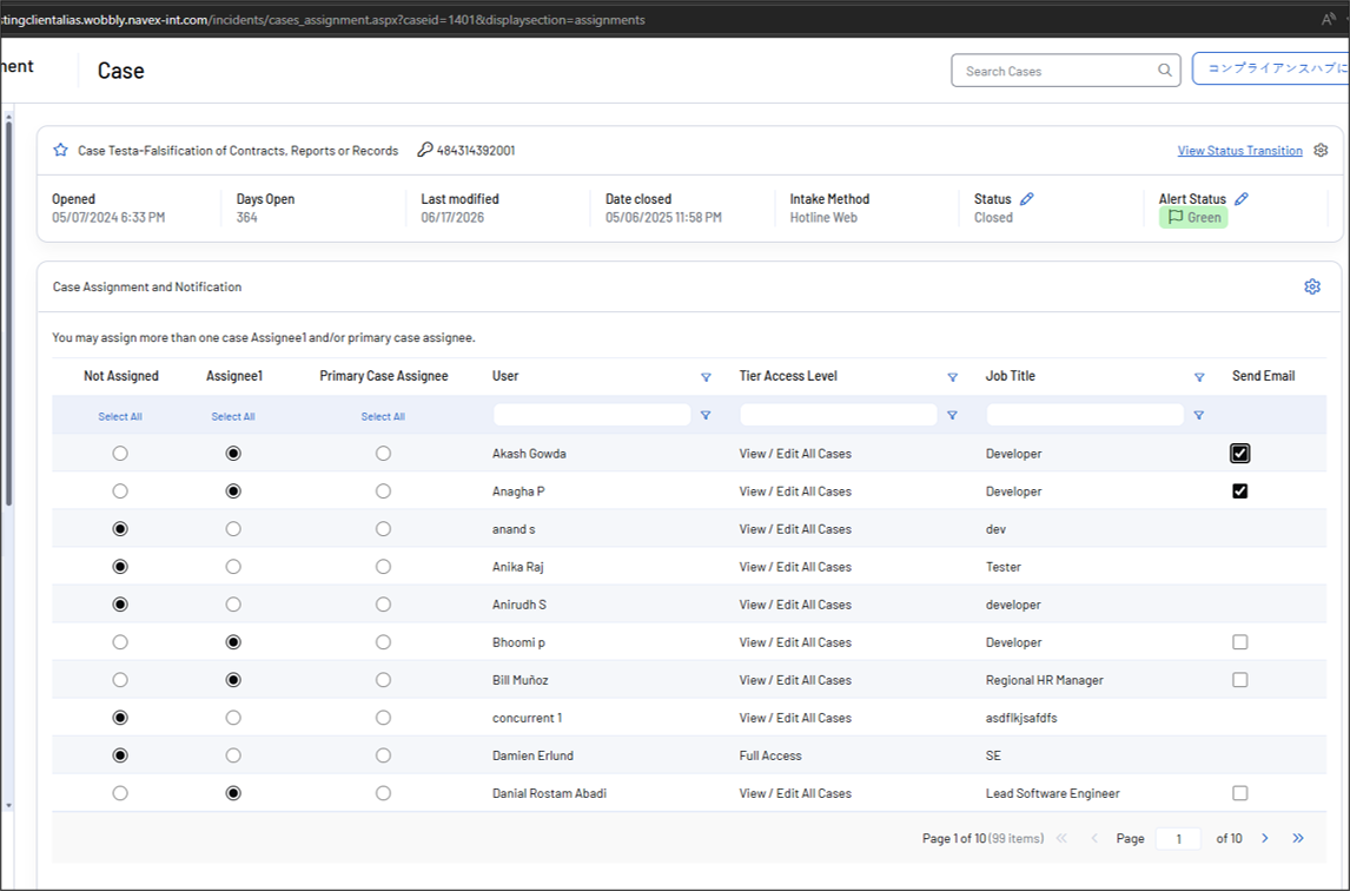
Give investigators greater control over case ownership with Manual Case Assignments. Assign or reassign cases to the investigator best equipped to handle them, improving workload distribution and supporting sensitive or complex investigations.

A case assignment dashboard displays a table with assignee names, user roles, access levels, and job titles. Radio buttons allow selection for primary case assignee. Filters and case details appear at the top.

October 2026

Roadmap

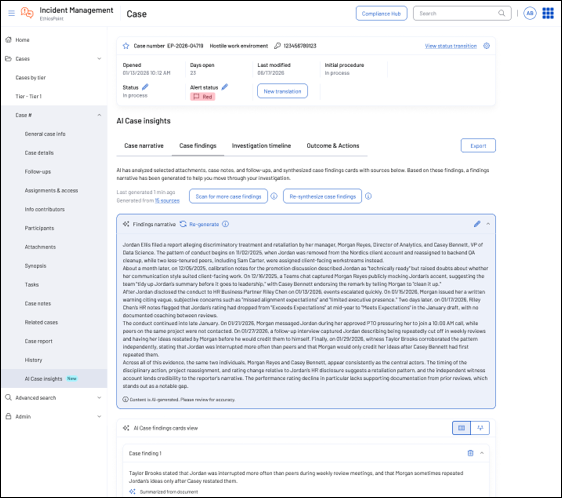
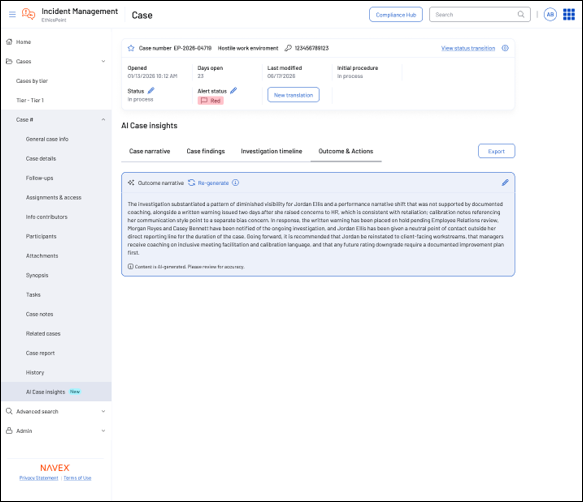
AI-assisted investigations: Case findings

Bring key facts from case details, attachments, notes and follow-ups into one connected view, with investigator review and traceability to source evidence. Reduce manual effort while supporting faster, more defensible findings.

A computer screen displays an incident management dashboard with case details, status, and AI-generated insights about a case. Text boxes show case findings, narrative, and investigation summary in a structured layout.
Roadmap

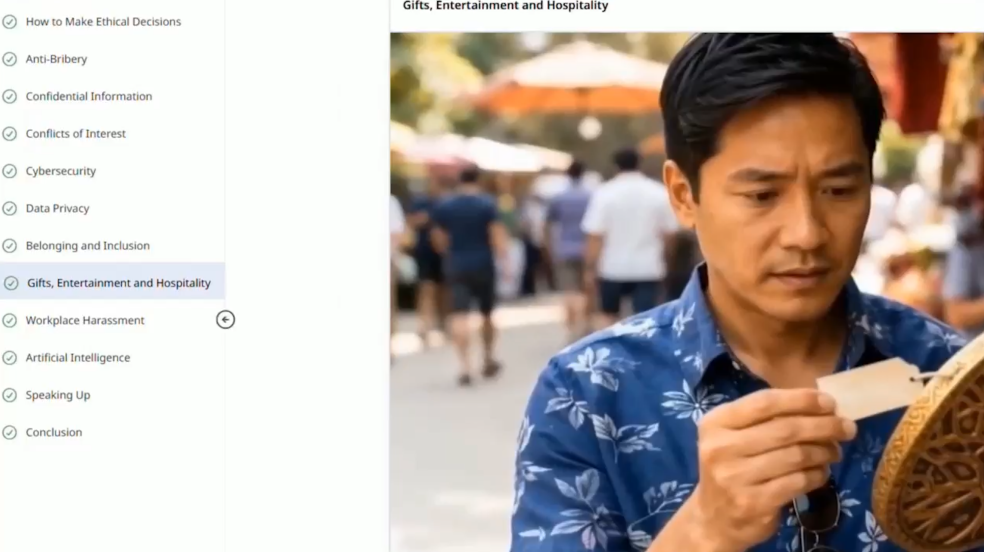
Ethics & Code of Conduct 9 (Revised & Updated)

Help employees understand ethical expectations and reinforce a culture of integrity with our latest Ethics & Code of Conduct course. This modular collection allows customers to tailor the experience for their organization’s needs.

A man in a blue floral shirt looks at a card with concern. On the left, a computer screen shows a menu with Gifts, Entertainment and Hospitality highlighted. Blurred people and umbrellas are in the background.
Roadmap

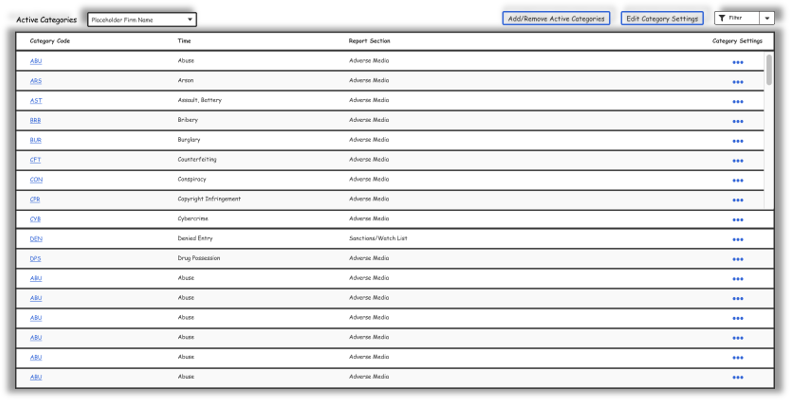
Customize Moody’s Screening

Configure separate criteria for people and organizations and automatically filter irrelevant events – reducing noise and manual review.

A computer interface displays a table listing crime categories, report section names, and category settings. Buttons for adding/removing categories and editing settings are at the top right.
Roadmap

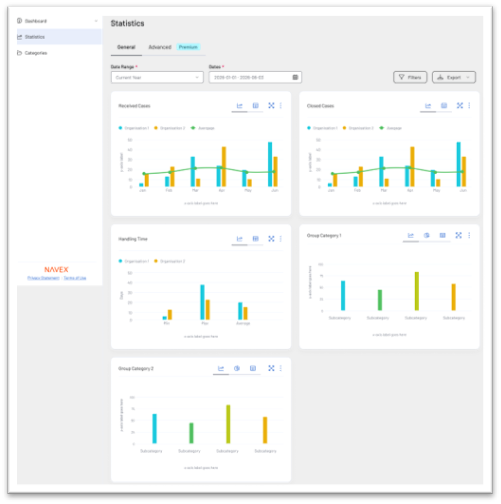
Group-level analytics and reporting

See group-wide case trends through dashboards, KPIs and advanced filtering. Create, export and securely share tailored views while maintaining permission-based access.

Dashboard screenshot showing statistics with multiple bar and line charts displaying open, closed cases, handling time, and grouped categories. The interface has filter and export options, and a left sidebar with navigation links.

November 2026

Roadmap

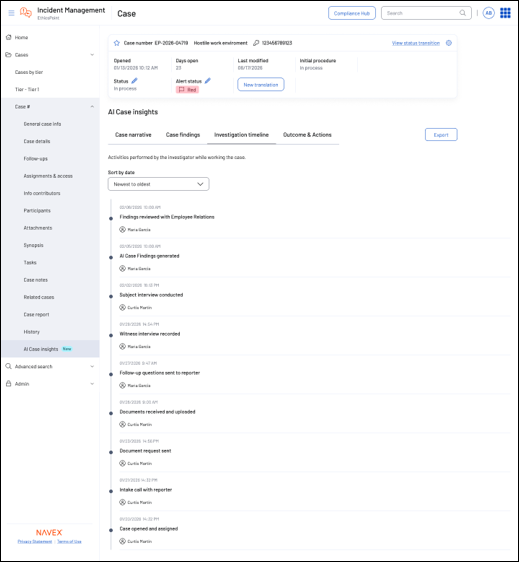
AI-assisted investigations: Timelines

Automatically consolidate investigation activity into a clear timeline so investigators can understand case progression and identify gaps or delays. Reduce manual reconstruction while strengthening process defensibility.

A software dashboard displays an incident management case, showing case details, status, and tabs for case narrative, findings, timeline, and actions, with a listed timeline of investigation activities below.
Roadmap

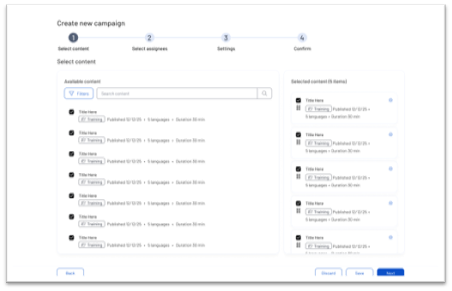
Guided assignments

Create assignments and campaigns faster through a guided workflow that simplifies content selection and scheduling, reduces administrative effort and helps teams deliver the right content to the right audiences.

A campaign creation screen with four steps. The Select content step shows a list of available content on the left and selected items on the right, each with titles, tags, and publication dates.
Roadmap

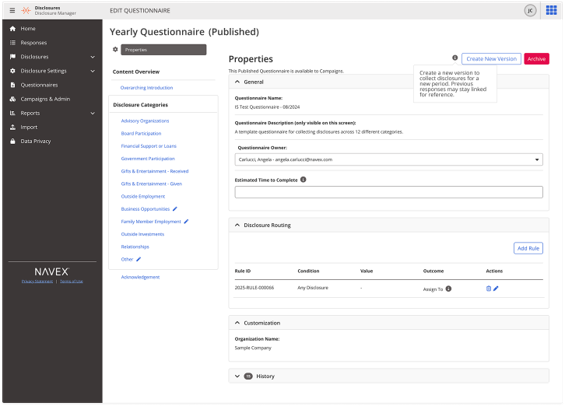
Questionnaire versioning 

Update published questionnaires while carrying forward valid answers – reducing responder fatigue without losing version history.

A software interface displays a published Yearly Questionnaire form with fields for title, description, completion time, and routing details. A side menu lists options like Home, Responses, and Disclosure Categories.
Roadmap

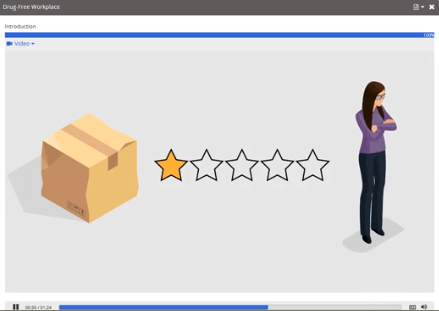
Drug-free workplace training update

Reinforce workplace safety and drug-free workplace expectations with refreshed training aligned to current policies and best practices. Updated content improves learner engagement and supports a safe, compliant workplace.

A woman stands with folded arms next to a cardboard box and a row of five stars, with only the first star filled in, indicating a low rating.
Roadmap

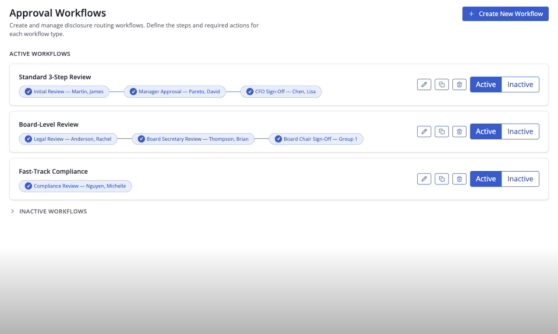
Multi-Step Disclosure Approvals

Speed disclosure reviews with rules-based routing and clear approval steps. Maintain a complete audit trail of every decision and override.

A dashboard showing three active approval workflows: Standard 3 Step Review, Board-Level Review, and Fast Track Compliance, each displaying steps, assigned users, and toggles for active or inactive status.

Customer reviews of NAVEX

Hear from risk and compliance professionals using NAVEX One to unify programs and strengthen oversight across their organizations. These reviews reflect real-world impact in action – connecting data, improving visibility and enabling confident decision-making at every level.

Compliance doesn’t have to be complicated. 

Ready to take the next step in your risk and compliance journey?