
Case management vs. incident management: what’s the difference?
Risk and compliance teams often use “case” and “incident” together because they sit within the same reporting-and-resolution process. A strong workflow needs to support both immediate intake decisions and the wider case record that follows.
Think of the relationship between case and incident management as nested:
- Incident management – handling the first response to a reported event, including intake, routing and escalation for incidents and allegations
- Case management – the broader structure used to manage and resolve issues, including investigations, documenting decisions, assigning actions, linking related cases and closing the loop
This article explains how risk and compliance teams can understand incident vs. case management and how incident handling fits inside the wider case management lifecycle. The difference between incident and case management is best illustrated through a review of the full case management process.
Why understanding the difference matters
Companies building or maturing a whistleblowing and case management program need clear workflows for handling reports, investigations and follow-through. Understanding the difference between incident management and case management helps teams choose the right processes and software as reporting volume and complexity grow.

What is case management?
Case management is the process and system teams use to track, investigate, document and resolve workplace matters. A case might open with an incident report, a policy question, an employee relations issue or many other enquiries – but all cases require documentation and action.
In NAVEX One software terms, case management is both the workflow your team follows overall, and a core investigation tool used to run that work at scale. A dedicated case management system keeps your case files controlled as work expands.
While many organizations choose to improve how they handle reported concerns with dedicated case management software, many are also discovering ways to further optimize and transform case management with AI tools.
How the case management process works
The workplace incident management process is the first-response phase of a case – usually when a reported incident or allegation comes in. It involves initial communication with the reporter and the process of moving the report through early handling. From this point, the case either resolves and closes or transitions into structured casework under case management.
If you’re reviewing how well your current workflow holds up, this incident management program health check lays out what to look for.
1. Detection & reporting
A concern is raised through a reporting channel such as a hotline, helpline, web form or in-person report. The main goal here is to capture what was submitted and preserve the original detail.
2. Logging & documentation
Create a consistent case record so details don’t get lost across channels. Include information on what was reported, who is involved and any immediate risk signals available at intake – e.g., an incident report of misconduct or a specific query from an employee without a clear answer in documentation.
3. Triage & escalation
Review for urgency, severity and exposure, respond to the reporter that their report has been received, then route the case to the right reviewers. Escalate immediately when safety, high reputation or financial risk cases are reported. Recognize when time-sensitive obligations change who needs to be involved first.
4. Investigation & response
Take any immediate first-response steps needed to protect people or preserve information. Decide whether the case needs formal investigation work, then transition it into case management when deeper evidence handling and findings are required.
5. Resolution & closure
Close the case when the concern is fully resolved with a documented decision and any required actions completed.
6. Post-incident review
Review how cases moved through the incident and case management process. Use those patterns to refine categories, escalation rules and documentation expectations over time.
What is incident management?
In whistleblowing and hotline contexts, incident management is often considered the first-response handling of a reported event or allegation. It covers how your team receives the concern, logs it consistently, flags urgency and escalates or routes it with tight visibility while early decisions are made.
For a deeper look at best-practice incident report intake and escalation, see our Definitive Guide to Incident Management.
Definitive Guide to Incident Management
This definitive guide is a comprehensive resource full of tips, advice and examples to help your organization implement and manage an effective ethics and compliance intake and reporting program.

Key differences and best practices
Essentially, not every case is an incident, but all incidents are a type of case you need to be equipped to handle. A case could also involve multiple incidents or reports from multiple individuals. In case vs. incident management, nuances sometimes emerge when a report moves beyond first response into sustained handling.
The table below compares what incident management and case management need to achieve and best practices to keep the stages of your case management lifecycle consistent.
| Area | Incident management | Case management |
|---|---|---|
| Focus within the case lifecycle | Intake and initial action for incident-focused cases such as routing and triage | General casework for all case types, documentation, activity, relationships between cases, and closure |
| Main question for compliance managers to ask | What was reported, how urgent is it and who needs to see it now? | What happened, what evidence supports the finding and what action closes the case? |
| Access and confidentiality | Access stays limited to the people who need to review the report and decide next steps | Permissions stay tightly controlled – only authorized stakeholders can access the case record as work expands |
| What the work involves | Receiving the report, initial communication with the reporter (whether anonymous or not), capturing key details, assessing severity and escalating where needed | Planning next steps, gathering evidence where needed, recording findings, assigning follow-up actions and closing the matter |
| What reporting helps you see | Volume of incidents, initial response speed, immediate risk signals | Trends across cases, repeat issues and outcomes for board reporting and defensibility; linked risks and insights you can use to improve other program areas (e.g. policies, training) |
| What good practice looks like | Reports are captured consistently, reviewed promptly and passed on with clear intake notes; reporter receives a timely response | The full case history and series of events stays in one record, decisions are documented clearly and follow-ups are tracked |
| What tends to break down | Reports sit in a queue, are misread at intake or are passed on without visibility; reporter loses trust in the system after receiving no response | Notes, evidence and actions scattered across people, inboxes or systems; cases are managed and tracked inconsistently, leading to errors; opaque processes and outcomes meaning improvement is difficult to measure |
Case management vs. incident management: key takeaway
Case management is the overall process used to manage and resolve issues from intake through investigation and closure. Incident management is one part of that process, focused on handling a specific question, reported event or allegation. A single case can include multiple incidents, along with other inputs like inquiries or policy questions.
Who handles incident and case management?
In some organizations, the same team handles both incident report intake and case management. In others, the handling team can vary depending on the category of case – for example, compliance, legal, or HR and employee relations.
For many organizations, the work is split between internal teams and trusted third-parties for report intake, case management or whistleblowing investigations.
Case and incident management software helps you to:
- Transition cases smoothly from intake to action
- Respond quickly to employees or third-party reporters
- Give case owners clarity about next steps before they start work
- Ensure information is only shared with parties appropriate to the process and the case at hand
- Manage all cases in one system for program health and audit transparency
Why intake and investigation need different workflows
Intake and investigation need different workflows because the same case needs different controls at different points. Intake centers on fast triage and tight visibility so incident and allegation reports can be assessed quickly, substantiated and escalated when risk is high.
As the case develops, the focus shifts to an auditable record of actions and decisions. Case management supports documented resolution over time, whether the case started as an incident report, a policy question or an external inquiry.
Case management capabilities organizations need
The incident management steps above start and move a reported issue. Case management is what keeps the work organized after the initial response.
When you’re evaluating case management tools, focus on what keeps casework controlled as it grows, evolves and transitions across teams. The right capabilities protect confidentiality, keep the record defensible and make it easier to drive consistent closure.
Secure documentation & evidence management
Look for protected and encrypted storage and an audit trail that shows what changed, who changed it and when. The case file should keep notes and attachments organized without relying on side folders or personal drives.
Role-based access & permissions
Permissions should work at a granular level so people only see what they need to see. That matters most when Legal, HR and Compliance all manage cases in the same system and to ensure investigators only see the cases they are assigned.
Full report type coverage
Reports from different sources and across different types should be manageable without leaving the system. For example, you should be able to manage compliance and employee relations issues as well as third-party reports with the same system even if there are different workflows.
Workflow automation & routing
Case stages, tasks and escalation paths should be configurable so the workflow matches how your teams operate. The platform should also capture key handoffs and actions as part of the case history without extra administrative work.
Reporting & analytics
You need visibility across cases rather than isolated oversight of a single file. Reporting should support oversight of volume, risk categories, timelines, outcomes, repeat issues and other key metrics without manual spreadsheet cleanup.
Cross-team collaboration
Collaboration should happen inside the case record, with controlled participation. Comments, tasks and review steps should support coordination without opening the full file to everyone involved.
Integration with reporting channels
Connect reporting channels directly into case management so intake details carry forward cleanly. This reduces re-entry and keeps the initial submission available for context throughout the case.
Data privacy & regulatory compliance
Case management systems should help organizations protect sensitive information throughout the investigation lifecycle. Look for capabilities that support privacy and regulatory requirements, including role-based visibility, data retention controls and configurable access to sensitive case information. Systems should also support the redaction or removal of personally identifiable information (PII) from reports, case records and exports when required under laws like GDPR and other data protection regulations.
When case management makes sense for you
Case management software keeps case handling consistent, traceable and auditable, so decisions and actions don’t end up scattered across inboxes and side threads. It gives your employees and third parties a dedicated place to report into anonymously, and allows you to manage and resolve cases with a clear record, whether the issue is simple or sensitive.
With the right case management tools in place, your team can:
- Receive reports of all types in one place
- Preserve notes, evidence, reporter communication and decisions tied to one case record
- Standardize handling with consistent workflows across different case types
- Limit sensitive details to authorized people to meet data protection requirements
- Maintain ownership and momentum by assigning and tracking actions
- Support oversight with reporting on case volume, types, timelines and outcomes
- Connect cases that are related in some way
- Manage cases post-closure
To go deeper on why these processes are worth board investment, see our blog on building a case for case management for your board.
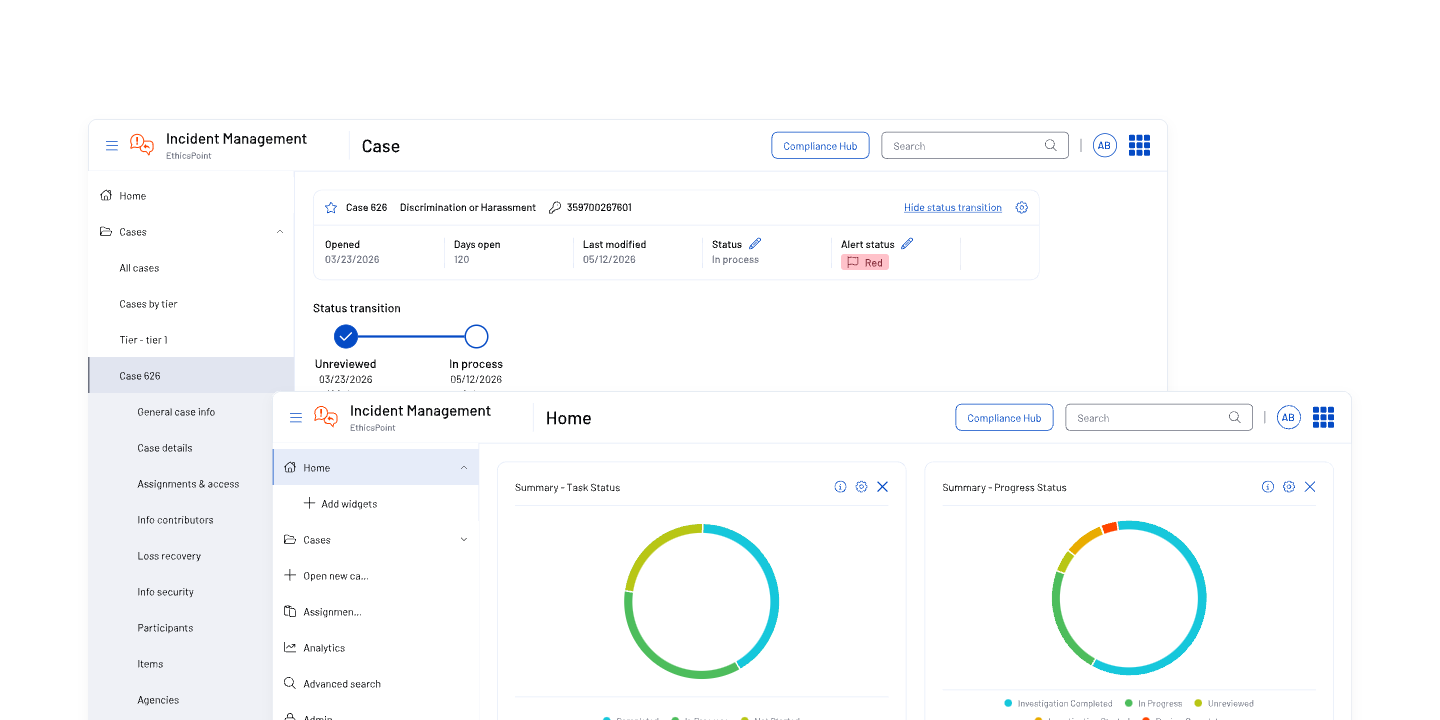
Whistleblowing & Incident Management Software | EthicsPoint
NAVEX One EthicsPoint Professional is the industry’s leading AI-powered whistleblowing and incident management software for enterprise organizations.
Frequently asked questions on case management vs incident management
What is a case management system?
A case management system is software that keeps case records in one place so teams can document decisions, assign actions and close issues with a clear trail. It supports the full range of cases that come in, including incident reports, inquiries and policy questions, as well as cases that might be connected under a wider issue. Strong systems also control access by role and make it easier to report on case activity over time.
Can one system handle both incident and case management?
Yes, when it treats incidents as event details inside a case, rather than creating separate tracks. The case remains the unit of work, and the system supports both early handling and longer follow-through within the same case, including the ability to link related incidents when new reports connect to an existing situation.
What is an incident vs. an event?
An event is something that happens, which isn’t always negative. An incident is a reportable event – for example, a report of misconduct or an allegation – that gets logged and managed or investigated through your case management process. A case is the managed wrapper teams use to determine what happened, document decisions and close an issue, whether that’s an incident or something more neutral. For example, a case could be a query raised or a policy change request, not necessarily an incident.
When should an incident become a case?
In most risk and compliance programs, a concern becomes a case as soon as it’s raised. The shift is from early handling to deeper documented resolution inside the same case – especially when additional reports, evidence or actions extend the work over time.
Can HR related incidents and compliance incidents be tracked in the same system?
Yes, and it often makes sense to do so. A routine HR grievance can easily overlap with a broader compliance risk. Tracking them in one place helps you connect the dots across different departments and spot bigger cultural trends that you might miss if the data is siloed. The key to making a shared system work is having strict access controls in place so HR and compliance teams only ever see the specific files they are meant to handle.